Domain vayp.de kaufen?
Wir ziehen mit dem Projekt
vayp.de um.
Sind Sie am Kauf der Domain
vayp.de interessiert?
domain@kv-gmbh.de · 0541-91531010
Domain vayp.de kaufen?
Was bedeutet "un kilomètre à pied ça use ça use"?
Der Satz "un kilomètre à pied ça use ça use" ist ein französischer Spruch, der bedeutet, dass das Gehen zu Fuß auf Dauer anstrengend ist. Es ist eine humorvolle Art zu sagen, dass das Laufen zu Fuß Energie und Ausdauer erfordert. **
Wie oft Coil wechseln E Zigarette?
"Die Häufigkeit, mit der du die Coil in deiner E-Zigarette wechseln musst, hängt von verschiedenen Faktoren ab, wie zum Beispiel der Art des Liquids, das du verwendest, und wie oft du dampfst. Im Allgemeinen wird empfohlen, die Coil alle 1-2 Wochen auszutauschen, um eine gute Dampfqualität und Geschmack zu gewährleisten. Wenn du jedoch feststellst, dass der Geschmack deines Liquids sich verändert oder die Dampfproduktion abnimmt, könnte es Zeit sein, die Coil zu wechseln. Es ist wichtig, regelmäßig die Coil zu überprüfen und bei Bedarf auszutauschen, um ein optimales Dampferlebnis zu erhalten." **


Ähnliche Suchbegriffe für English-Vocabulary-in-Use
Top-Angebote
Produkte zum Begriff English-Vocabulary-in-Use:
-
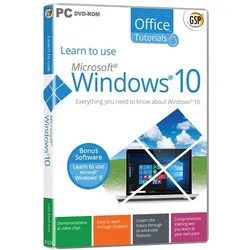
Learn to use Microsoft Windows 10, EnglishEverything you need to know about Windows 10 Step 1 - Choose your topic Step 2 - Study the basics Step 3 - Watch how the experts do it Step 4 - Do it! This comprehensive training program couldn't be easier to use. On-screen video demonstrations take you step-by-step through over 100 different topics, each with clear and concise instructions. Simply pick the topic you want to study and sit back and watch as an expert shows you exactly how it's done. Then move on to actually ‘do it’ in your own copy of Windows® 10. Whether you're a complete beginner, or need to refresh your computer skills, this program will have you up and running with Windows®10 in no time at all. Topics include: DISCOVERING WINDOWS 10 Is your PC ready for Windows 10? Program and device compatibility First look at the Start menu / Windows 10 sessions The Microsoft Cortana Voice Assistant Searching for files and information OneNote / Windows 10 Continuum Sync your settings / Geolocation Dock applications / Virtual desktops Useful keyboard shortcuts CUSTOMISING YOUR COMPUTER Managing groups in the Start menu Adding/Deleting thumbnails from the Start menu A slide show on the Lock Screen How to customise your computer Choosing a desktop background / display theme Associating sounds with events Customising the taskbar Adding / Selecting a printer / Print to a PDF file Associate applications and files Adding a user account / Switching between users Notifications and the Action Center STORAGE AND FILE MANAGEMENT Install and uninstall applications Creating a restore point / System Restore Refresh or reset the computer File History / Copying files with File Explorer Homegroup and Network Defragmenting a hard disk / Disk Cleanup Backing up your data / The Recycle Bin Windows Update / Sync your settings and content INTERNET Connecting to the Internet First steps in Microsoft Edge Searching on the Web / Downloading a file Customising Microsoft Edge Using Cortana in Microsoft Edge The Mail app / The Calendar app / Skype OneDrive, the Microsoft cloud MULTIMEDIA The Photos app Connecting to a digital camera Playing and copying music from CDs Copying music to mobile devices Playing DVD movies SYSTEM AND SAFETY Accessing admin tools /Task Manager User Account Control Windows Defender / Windows SmartScreen The Windows 10 Firewall14,95 €*Versand: 0,00 €Sichere Weiterleitung zum Anbieter


-
Wie oft Verdampfer wechseln E Zigarette?
"Wie oft Verdampfer wechseln E Zigarette?" ist eine häufig gestellte Frage unter E-Zigaretten-Nutzern. Die Häufigkeit des Wechsels hängt von verschiedenen Faktoren ab, wie zum Beispiel der Nutzungshäufigkeit, der Art des Liquids und der Leistung des Verdampfers. Im Allgemeinen wird empfohlen, den Verdampfer alle 1-4 Wochen zu wechseln, um eine optimale Dampfqualität und Geschmackserlebnis zu gewährleisten. Es ist wichtig, den Verdampfer regelmäßig zu reinigen und auf Verschleißerscheinungen zu achten, um die Lebensdauer der E-Zigarette zu verlängern. Letztendlich sollte jeder Nutzer die Wechselintervalle individuell anpassen, um die beste Performance seiner E-Zigarette zu gewährleisten. **
-
Kann ich jedes Liquid in jede E Zigarette?
Kann ich jedes Liquid in jede E-Zigarette verwenden? Nein, nicht jedes Liquid ist für jede E-Zigarette geeignet. Es ist wichtig, dass das Liquid den richtigen VG/PG-Gehalt und die richtige Nikotinstärke für die jeweilige E-Zigarette hat. Zudem sollten Sie darauf achten, dass das Liquid für das jeweilige Coil-System geeignet ist, um ein optimales Dampferlebnis zu gewährleisten. Es ist ratsam, sich vor dem Kauf eines Liquids über die Kompatibilität mit Ihrer E-Zigarette zu informieren, um mögliche Probleme zu vermeiden. **
-
Warum lernt man in der Schule Oxford English und nicht American English?
In der Schule wird oft Oxford English gelehrt, da es als Standardvariante des Englischen angesehen wird. Es wird in vielen Ländern weltweit verwendet und dient als Grundlage für die Kommunikation zwischen verschiedenen englischsprachigen Ländern. American English wird jedoch auch in einigen Schulen gelehrt, insbesondere in Ländern, in denen es als wichtigere Variante angesehen wird, wie zum Beispiel den USA oder Kanada. **
-
Kann ich jedes E Liquid in einer E Zigarette benutzen?
Kann ich jedes E Liquid in einer E Zigarette benutzen? Es ist wichtig, das richtige E Liquid für Ihre E Zigarette zu wählen, da nicht alle Liquids für alle Geräte geeignet sind. Einige E Zigaretten sind nur für bestimmte Arten von Liquids ausgelegt, z.B. für Liquids mit einem bestimmten VG/PG-Verhältnis. Es ist ratsam, die Anweisungen des Herstellers zu beachten und sicherzustellen, dass das E Liquid mit Ihrer E Zigarette kompatibel ist, um ein optimales Dampferlebnis zu gewährleisten. Wenn Sie unsicher sind, welches E Liquid Sie verwenden können, wenden Sie sich am besten an den Hersteller oder an einen Fachhändler für E Zigaretten. **
Was bedeutet Coil bei einer E Zigarette?
Was bedeutet Coil bei einer E Zigarette? Eine Coil ist ein Heizelement, das sich im Verdampferkopf befindet und für die Verdampfung des E-Liquids verantwortlich ist. Sie besteht meist aus einem Draht, der um eine Watte gewickelt ist. Die Coil wird durch die Batterie der E Zigarette erhitzt, um das E-Liquid zu verdampfen und Dampf zu erzeugen. Die Leistung und Widerstandsfähigkeit der Coil beeinflussen maßgeblich den Geschmack, die Dampfproduktion und die Haltbarkeit der E Zigarette. Es gibt verschiedene Arten von Coils, die je nach Vorlieben und Bedürfnissen ausgewählt werden können. **
Cool is said in English.
"Cool" wird auf Deutsch als "cool" gesagt. Es ist ein geläufiges Lehnwort, das im deutschen Sprachgebrauch verwendet wird, um etwas Positives oder Beeindruckendes zu beschreiben. Der Begriff wird oft im informellen Kontext verwendet, um Zustimmung oder Bewunderung auszudrücken. In der Umgangssprache ist "cool" ein vielseitiges Wort, das verschiedene Bedeutungen haben kann, je nach Kontext. **
Top-Angebote
Produkte zum Begriff English-Vocabulary-in-Use:
-
Was bedeutet "un kilomètre à pied ça use ça use"?
Der Satz "un kilomètre à pied ça use ça use" ist ein französischer Spruch, der bedeutet, dass das Gehen zu Fuß auf Dauer anstrengend ist. Es ist eine humorvolle Art zu sagen, dass das Laufen zu Fuß Energie und Ausdauer erfordert. **
-
Wie oft Coil wechseln E Zigarette?
"Die Häufigkeit, mit der du die Coil in deiner E-Zigarette wechseln musst, hängt von verschiedenen Faktoren ab, wie zum Beispiel der Art des Liquids, das du verwendest, und wie oft du dampfst. Im Allgemeinen wird empfohlen, die Coil alle 1-2 Wochen auszutauschen, um eine gute Dampfqualität und Geschmack zu gewährleisten. Wenn du jedoch feststellst, dass der Geschmack deines Liquids sich verändert oder die Dampfproduktion abnimmt, könnte es Zeit sein, die Coil zu wechseln. Es ist wichtig, regelmäßig die Coil zu überprüfen und bei Bedarf auszutauschen, um ein optimales Dampferlebnis zu erhalten." **
-
Wie oft Verdampfer wechseln E Zigarette?
"Wie oft Verdampfer wechseln E Zigarette?" ist eine häufig gestellte Frage unter E-Zigaretten-Nutzern. Die Häufigkeit des Wechsels hängt von verschiedenen Faktoren ab, wie zum Beispiel der Nutzungshäufigkeit, der Art des Liquids und der Leistung des Verdampfers. Im Allgemeinen wird empfohlen, den Verdampfer alle 1-4 Wochen zu wechseln, um eine optimale Dampfqualität und Geschmackserlebnis zu gewährleisten. Es ist wichtig, den Verdampfer regelmäßig zu reinigen und auf Verschleißerscheinungen zu achten, um die Lebensdauer der E-Zigarette zu verlängern. Letztendlich sollte jeder Nutzer die Wechselintervalle individuell anpassen, um die beste Performance seiner E-Zigarette zu gewährleisten. **
-
Kann ich jedes Liquid in jede E Zigarette?
Kann ich jedes Liquid in jede E-Zigarette verwenden? Nein, nicht jedes Liquid ist für jede E-Zigarette geeignet. Es ist wichtig, dass das Liquid den richtigen VG/PG-Gehalt und die richtige Nikotinstärke für die jeweilige E-Zigarette hat. Zudem sollten Sie darauf achten, dass das Liquid für das jeweilige Coil-System geeignet ist, um ein optimales Dampferlebnis zu gewährleisten. Es ist ratsam, sich vor dem Kauf eines Liquids über die Kompatibilität mit Ihrer E-Zigarette zu informieren, um mögliche Probleme zu vermeiden. **
Ähnliche Suchbegriffe für English-Vocabulary-in-Use
-
Learn to use Microsoft Windows 10, EnglishEverything you need to know about Windows 10 Step 1 - Choose your topic Step 2 - Study the basics Step 3 - Watch how the experts do it Step 4 - Do it! This comprehensive training program couldn't be easier to use. On-screen video demonstrations take you step-by-step through over 100 different topics, each with clear and concise instructions. Simply pick the topic you want to study and sit back and watch as an expert shows you exactly how it's done. Then move on to actually ‘do it’ in your own copy of Windows® 10. Whether you're a complete beginner, or need to refresh your computer skills, this program will have you up and running with Windows®10 in no time at all. Topics include: DISCOVERING WINDOWS 10 Is your PC ready for Windows 10? Program and device compatibility First look at the Start menu / Windows 10 sessions The Microsoft Cortana Voice Assistant Searching for files and information OneNote / Windows 10 Continuum Sync your settings / Geolocation Dock applications / Virtual desktops Useful keyboard shortcuts CUSTOMISING YOUR COMPUTER Managing groups in the Start menu Adding/Deleting thumbnails from the Start menu A slide show on the Lock Screen How to customise your computer Choosing a desktop background / display theme Associating sounds with events Customising the taskbar Adding / Selecting a printer / Print to a PDF file Associate applications and files Adding a user account / Switching between users Notifications and the Action Center STORAGE AND FILE MANAGEMENT Install and uninstall applications Creating a restore point / System Restore Refresh or reset the computer File History / Copying files with File Explorer Homegroup and Network Defragmenting a hard disk / Disk Cleanup Backing up your data / The Recycle Bin Windows Update / Sync your settings and content INTERNET Connecting to the Internet First steps in Microsoft Edge Searching on the Web / Downloading a file Customising Microsoft Edge Using Cortana in Microsoft Edge The Mail app / The Calendar app / Skype OneDrive, the Microsoft cloud MULTIMEDIA The Photos app Connecting to a digital camera Playing and copying music from CDs Copying music to mobile devices Playing DVD movies SYSTEM AND SAFETY Accessing admin tools /Task Manager User Account Control Windows Defender / Windows SmartScreen The Windows 10 Firewall14,95 €*Versand: 0,00 €Sichere Weiterleitung zum Anbieter
-
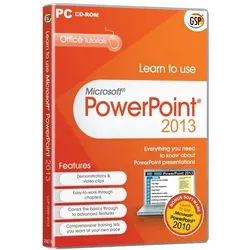
Learn to use Microsoft PowerPoint 2013, EnglishInteractive demonstrations & video clips Easy-to-work-through chapters Covers the basics through to advanced features Comprehensive training lets you learn at your own pac This comprehensive training program, couldn’t be easier to use. On-screen video demonstrations take you step-by-step through all the key areas, each with clear and concise instructions. Simply pick the topic you want to study and sit back and watch as an expert shows you exactly how it’s done. Then actually ‘do it’ in your own copy of PowerPoint 2013. Features Getting a good start First use of the Ribbon Keyboard shortcuts Working with worksheets Data entry / custom Lists Numeral data series & dates Illustrating and graph processing Inserting a picture Creating a char t File management Creating a new workbook Adding / Deleting worksheets Formatting a worksheet Formatting cells Centering across more columns Selections and movements Setting up a data entry range Extended copy and paste Displaying and page set-up Protecting a file / worksheet Customised displays / freezing panes Plus much more . . . Whether you’re a complete beginner, or need to refresh your computer skills, this program will have you up and running with PowerPoint 2013 in no time at all. 4 Easy Steps Step 1 – Choose your topic The program is divided into chapters, which are then broken down into easy-to-master sections which you can study in any order. Simply choose the topic you want to learn more about. Step 2 – Study the basics Read through a short description of the key points to help you Follow the on-screen demonstrations. Step 3 – Watch how the experts do it Sit back and watch as the program shows you what to do. The tutor’s voice talks you through each step as the screen video plays. You can watch it as many times as you want to make sure you’ve remembered everything. Step 4 – Do It! Now it;s time to actually do it in your own copy of PowerPoint 2013. Follow the Instructions in the pop-up window while you work through the task yourself. System Requirements Version 2013 Platform Windows XP, Windows Vista 32-bit, Windows 7, Windows 8 32-bit, Windows 8 64-bit, Windows 8 Processor: 500 megahertz (MHz) processor or higher Purchase Back-up DVD for only: 256 megabyte (MB) RAM or higher. Hard disk: 1.5 GB: a portion of the disk space will be freed after installation if the original download package is removed from the hard drive. Drive: CD-ROM or DVD drive Display: 1024x768 or higher resolution monitor14,95 €*Versand: 0,00 €Sichere Weiterleitung zum Anbieter
-
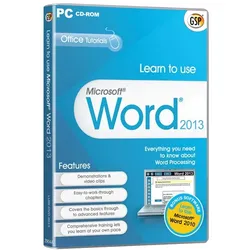
Learn to use Microsoft Word 2013, EnglishInteractive demonstrations & video clips Easy-to-work-through chapters Covers the basics through to advanced features Comprehensive training lets you learn at your own pace This comprehensive training program, couldn’t be easier to use. On-screen video demonstrations take you step-by-step through all the key areas, each with clear and concise instructions. Simply pick the topic you want to study and sit back and watch as an expert shows you exactly how it’s done. Then actually ‘do it’ in your own copy of Word 2013. Whether you’re a complete beginner, or need to refresh your computer skills, this program will have you up and running with Word 2013 in no time at all. Features Using Word for the first time First use of the Ribbon Creating, opening & saving documents Time Saving Tips Headers and footers The Quick Access Toolbar Frequently Asked Questions Symbols and special characters Mail merging Good Habits Ribbon / Keyboard shortcuts The Click and Type feature Tables Creating and formatting a table Selections in a table Workgroups and Protection Document encryption / Digital signature Track changes Formatting a document Margins, format and orientation Tabs, bullets and numbering Pictures Inserting a picture in a document Adjusting picture characteristics Plus much more . . . 4 Easy Steps Step 1 – Choose your topic The program is divided into chapters, which are then broken down into easy-to-master sections which you can study in any order. Simply choose the topic you want to learn more about. Step 2 – Study the basics Read through a short description of the key points to help you Follow the on-screen demonstrations. Step 3 – Watch how the experts do it Sit back and watch as the program shows you what to do. The tutor’s voice talks you through each step as the screen video plays. You can watch it as many times as you want to make sure you’ve remembered everything. Step 4 – Do It! Now it;s time to actually do it in your own copy of Word 2013 Follow the Instructions in the pop-up window while you work through the task yourself. System Requirements Processor: 500 megahertz (MHz) processor or higher Purchase Back-up DVD for only: 256 megabyte (MB) RAM or higher. Hard disk: 1.5 GB: a portion of the disk space will be freed after installation if the original download package is removed from the hard drive. Drive: CD-ROM or DVD drive Display: 1024x768 or higher resolution monitor Version 2013 Platform Windows XP, Windows Vista 32-bit, Windows 7, Windows 8 32-bit, Windows 8 64-bit, Windows 814,95 €*Versand: 0,00 €Sichere Weiterleitung zum Anbieter
-
Warum lernt man in der Schule Oxford English und nicht American English?
In der Schule wird oft Oxford English gelehrt, da es als Standardvariante des Englischen angesehen wird. Es wird in vielen Ländern weltweit verwendet und dient als Grundlage für die Kommunikation zwischen verschiedenen englischsprachigen Ländern. American English wird jedoch auch in einigen Schulen gelehrt, insbesondere in Ländern, in denen es als wichtigere Variante angesehen wird, wie zum Beispiel den USA oder Kanada. **
-
Kann ich jedes E Liquid in einer E Zigarette benutzen?
Kann ich jedes E Liquid in einer E Zigarette benutzen? Es ist wichtig, das richtige E Liquid für Ihre E Zigarette zu wählen, da nicht alle Liquids für alle Geräte geeignet sind. Einige E Zigaretten sind nur für bestimmte Arten von Liquids ausgelegt, z.B. für Liquids mit einem bestimmten VG/PG-Verhältnis. Es ist ratsam, die Anweisungen des Herstellers zu beachten und sicherzustellen, dass das E Liquid mit Ihrer E Zigarette kompatibel ist, um ein optimales Dampferlebnis zu gewährleisten. Wenn Sie unsicher sind, welches E Liquid Sie verwenden können, wenden Sie sich am besten an den Hersteller oder an einen Fachhändler für E Zigaretten. **
-
Was bedeutet Coil bei einer E Zigarette?
Was bedeutet Coil bei einer E Zigarette? Eine Coil ist ein Heizelement, das sich im Verdampferkopf befindet und für die Verdampfung des E-Liquids verantwortlich ist. Sie besteht meist aus einem Draht, der um eine Watte gewickelt ist. Die Coil wird durch die Batterie der E Zigarette erhitzt, um das E-Liquid zu verdampfen und Dampf zu erzeugen. Die Leistung und Widerstandsfähigkeit der Coil beeinflussen maßgeblich den Geschmack, die Dampfproduktion und die Haltbarkeit der E Zigarette. Es gibt verschiedene Arten von Coils, die je nach Vorlieben und Bedürfnissen ausgewählt werden können. **
-
Cool is said in English.
"Cool" wird auf Deutsch als "cool" gesagt. Es ist ein geläufiges Lehnwort, das im deutschen Sprachgebrauch verwendet wird, um etwas Positives oder Beeindruckendes zu beschreiben. Der Begriff wird oft im informellen Kontext verwendet, um Zustimmung oder Bewunderung auszudrücken. In der Umgangssprache ist "cool" ein vielseitiges Wort, das verschiedene Bedeutungen haben kann, je nach Kontext. **
* Alle Preise verstehen sich inklusive der gesetzlichen Mehrwertsteuer und ggf. zuzüglich Versandkosten. Die Angebotsinformationen basieren auf den Angaben des jeweiligen Shops und werden über automatisierte Prozesse aktualisiert. Eine Aktualisierung in Echtzeit findet nicht statt, so dass es im Einzelfall zu Abweichungen kommen kann. ** Hinweis: Teile dieses Inhalts wurden von KI erstellt.